
Armor Gym (Soul’d Out Fitness, LLC d/b/a Armor Gym) sends follow-ups and offers only to people who tick the optional box shown on this page. Members who sign a membership or personal training agreement with us may also get service texts, such as child care notices (see “Service texts for members” below). If you text us first, our staff may text you back about your message. Ticking the box is always optional, it’s never ticked for you, and you don’t need to tick it to join or buy anything. This page shows every place you can choose to get texts from Armor Gym Knoxville and Armor Gym Oak Ridge.
The words next to the box
The guest waiver, membership agreement and child care form show this box under the heading “Text messages (optional)”. The member app shows the same words next to a box under the heading “Texts from Armor Gym”.
Text messages (optional)
☐ Yes, Armor Gym may text me about my membership, child care, visits and offers. Message frequency varies. Msg & data rates may apply. Reply STOP to opt out, HELP for help. Saying yes isn’t required to join or buy anything. Terms: armorgym.com/sms-terms · Privacy: armorgym.com/privacy-policy
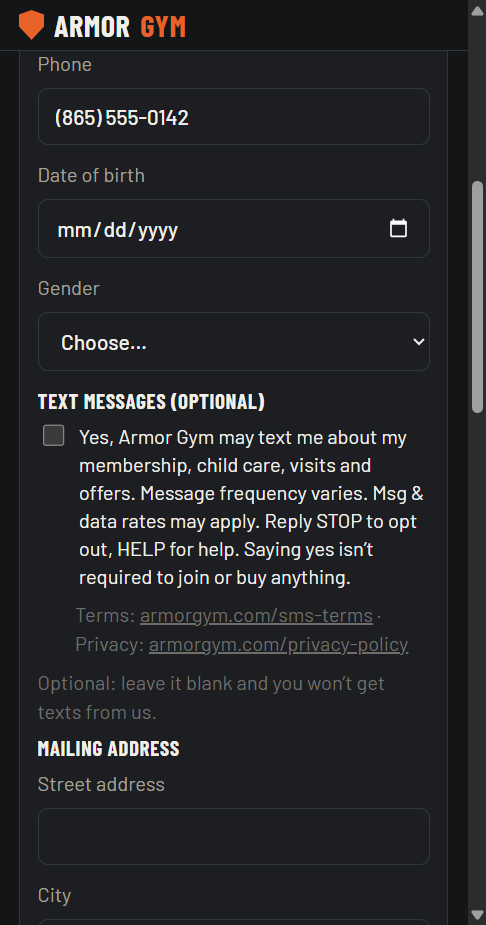
1. Guest waiver (QR code at the front desk)
Guests scan the QR code at our front desk to open the waiver on their phone. The optional box is right under the phone number.
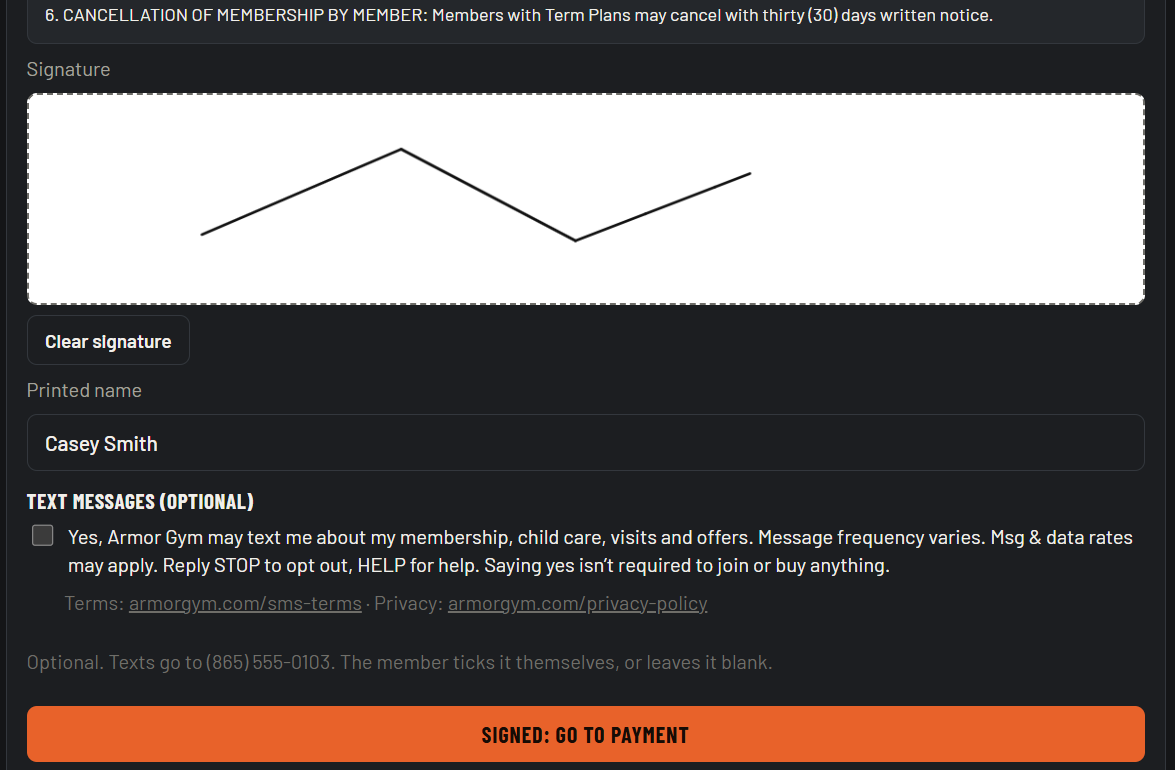
2. Membership agreement (front-desk screen)
When you join, our staff show the membership agreement on a screen at the front desk. After you sign it, a separate “Text messages (optional)” section lets you tick the box yourself or leave it blank. Signing the agreement does not sign you up for follow-ups or offers.
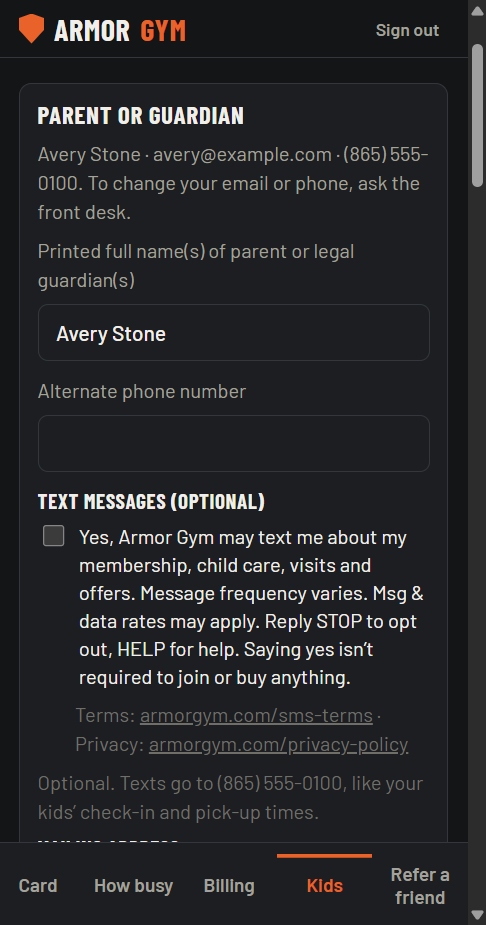
3. Child care family form
Parents fill out the child care family form from an emailed link, a QR code at the front desk, or the member app. The optional box is in the parent section, with the parent’s phone number.
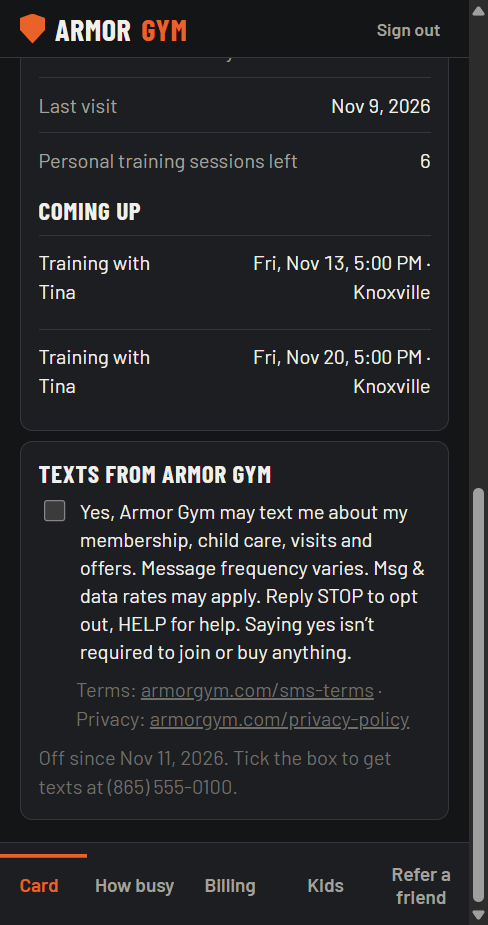
4. Armor Gym member app
Members can tick or untick the box under “Texts from Armor Gym” at any time, on the card screen of the member app. It shows the same words.
Before: texts off
After the member ticks the box: texts on
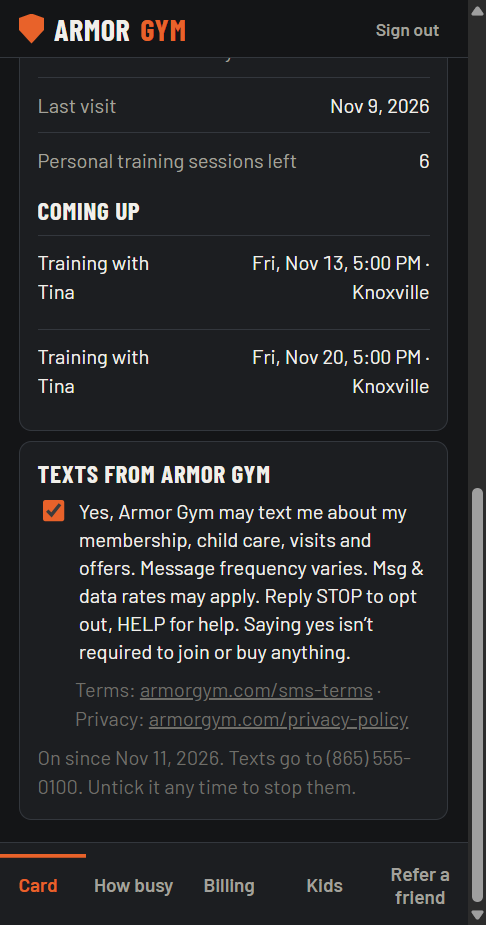
Service texts for members
Our membership and personal training agreements have a “Contact” section that lets us contact members at the phone number they give us. We use it only for service texts about their account: child care notices, billing notices and personal training reminders. It never signs anyone up for follow-ups or offers, and replying STOP stops service texts too. Guests and day-pass visitors, who sign only the guest waiver, get automatic texts only if they tick the box.
What we keep when you say yes
For every yes, we keep the date and time, your phone number, where you said yes, and the exact words you saw. For members, we also keep the signed membership or personal training agreement.
How to stop or start again
- Stop: reply STOP to any text from us. This stops all texts, including service texts. STOPALL, UNSUBSCRIBE, CANCEL, END, QUIT, OPTOUT and REVOKE also work. You can also ask our front desk, or untick “Texts from Armor Gym” in the member app if you ticked it there.
- Start again: reply START or UNSTOP to either gym’s texting number, or turn “Texts from Armor Gym” back on in the member app.
- Help: reply HELP, or call Armor Gym Knoxville at (865) 963-3030 or Armor Gym Oak Ridge at (865) 294-4303.
Message frequency varies. Message and data rates may apply.